 SignatureCat
Update signatures in one click
Change the text, an image or the data in your template, and SignatureCat rolls the new version out to your employees automatically.
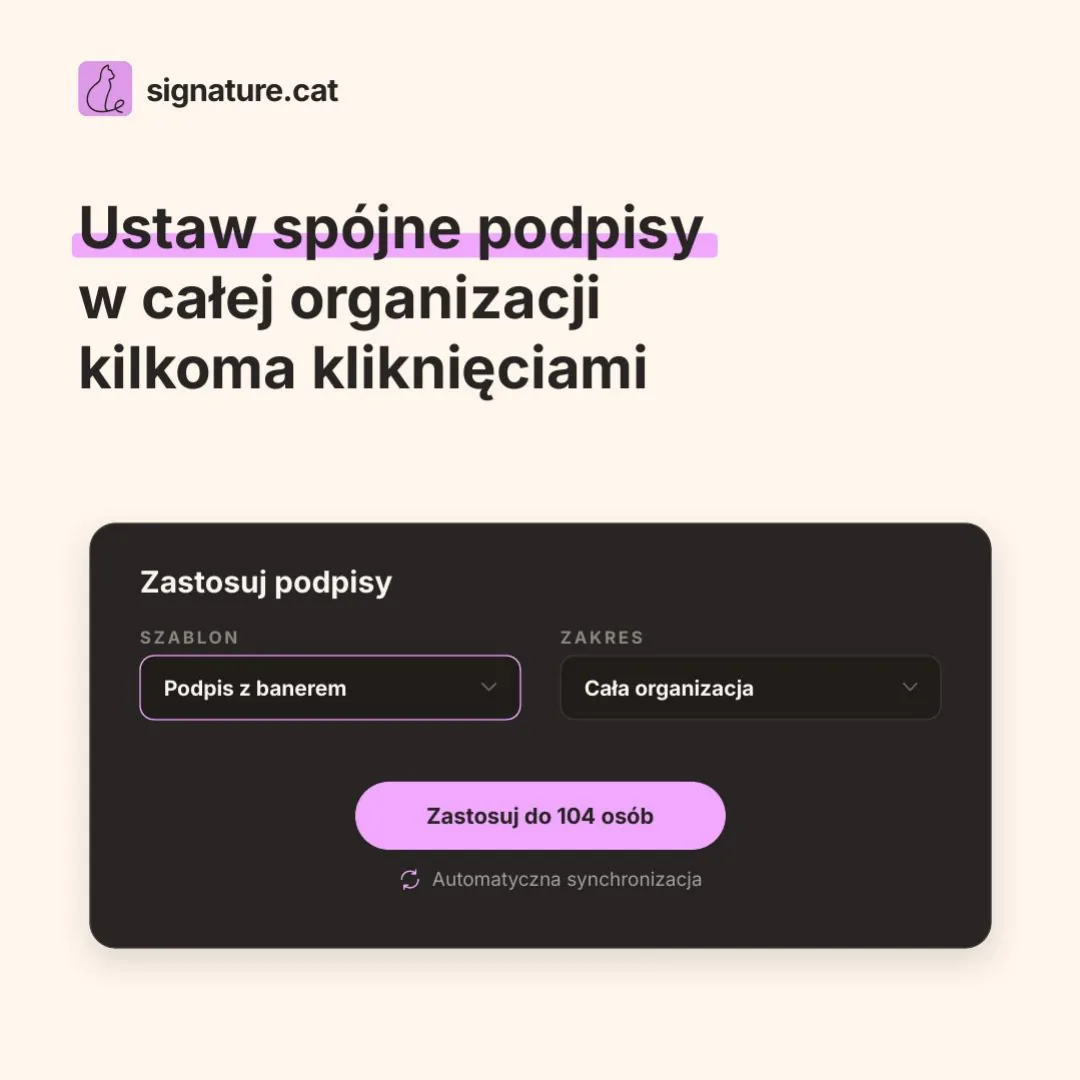
Create consistent email signatures for your employees, assign them by department or role, and update them across the whole organization from one place.
Built for the Google Workspace environment
One place to create, assign and update email signatures for your whole organization.
Change the text, an image or the data in your template, and SignatureCat rolls the new version out to your employees automatically.
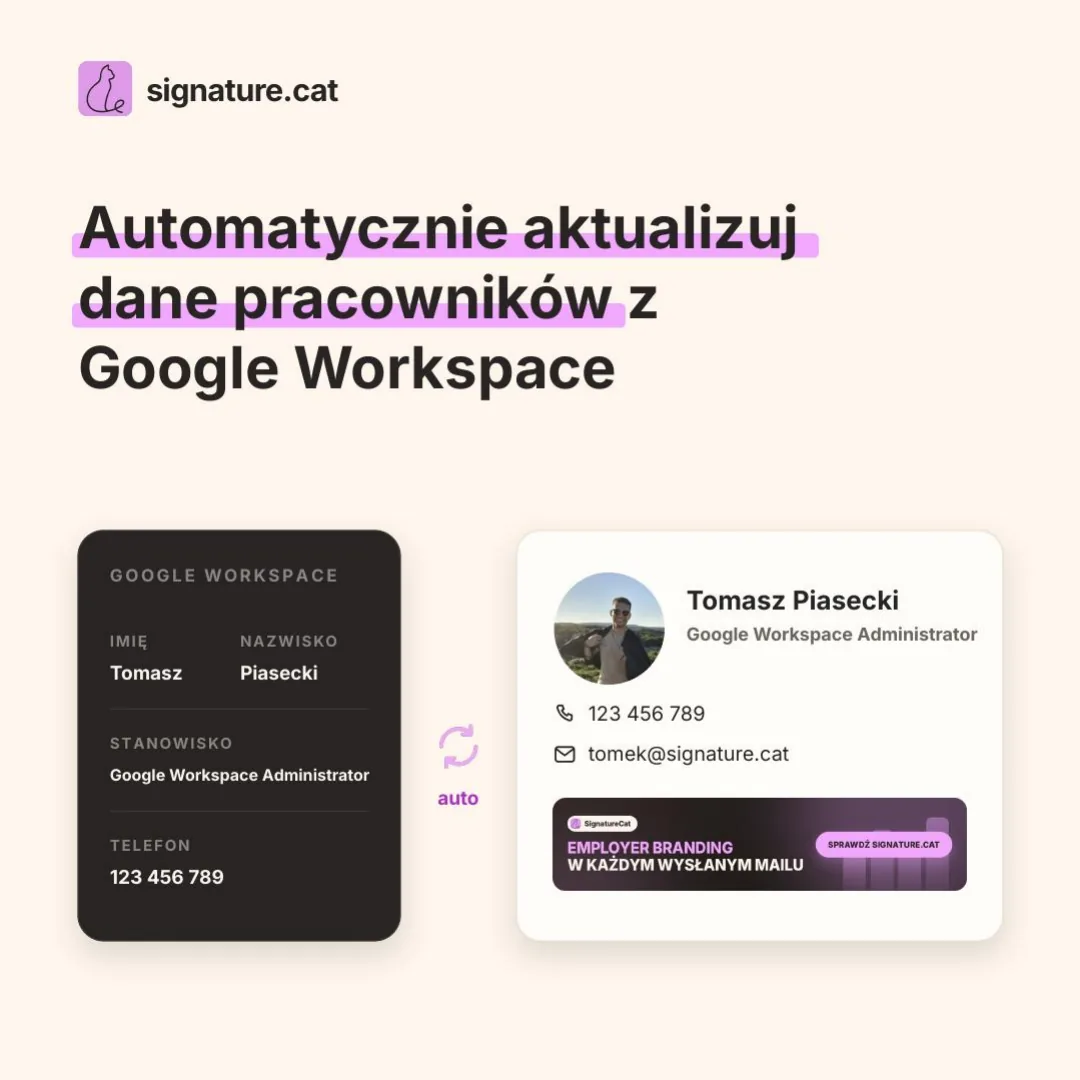
Pull data from Google Workspace straight into the signature. Someone changes their job title, phone number or department? The signature follows.
Mark optional sections with conditional tags: when an employee has a phone number the section stays, when they don't it disappears. No empty lines, no per-person edits.
One signature standard across every message your employees send.
You no longer have to ask people to update their signature or check who is still using the old footer.
See the signatures you rolled out and the full change history in the admin panel.
Connect SignatureCat to your Google Workspace with Domain-Wide Delegation. Grant only the permissions it needs and start managing signatures from one place.
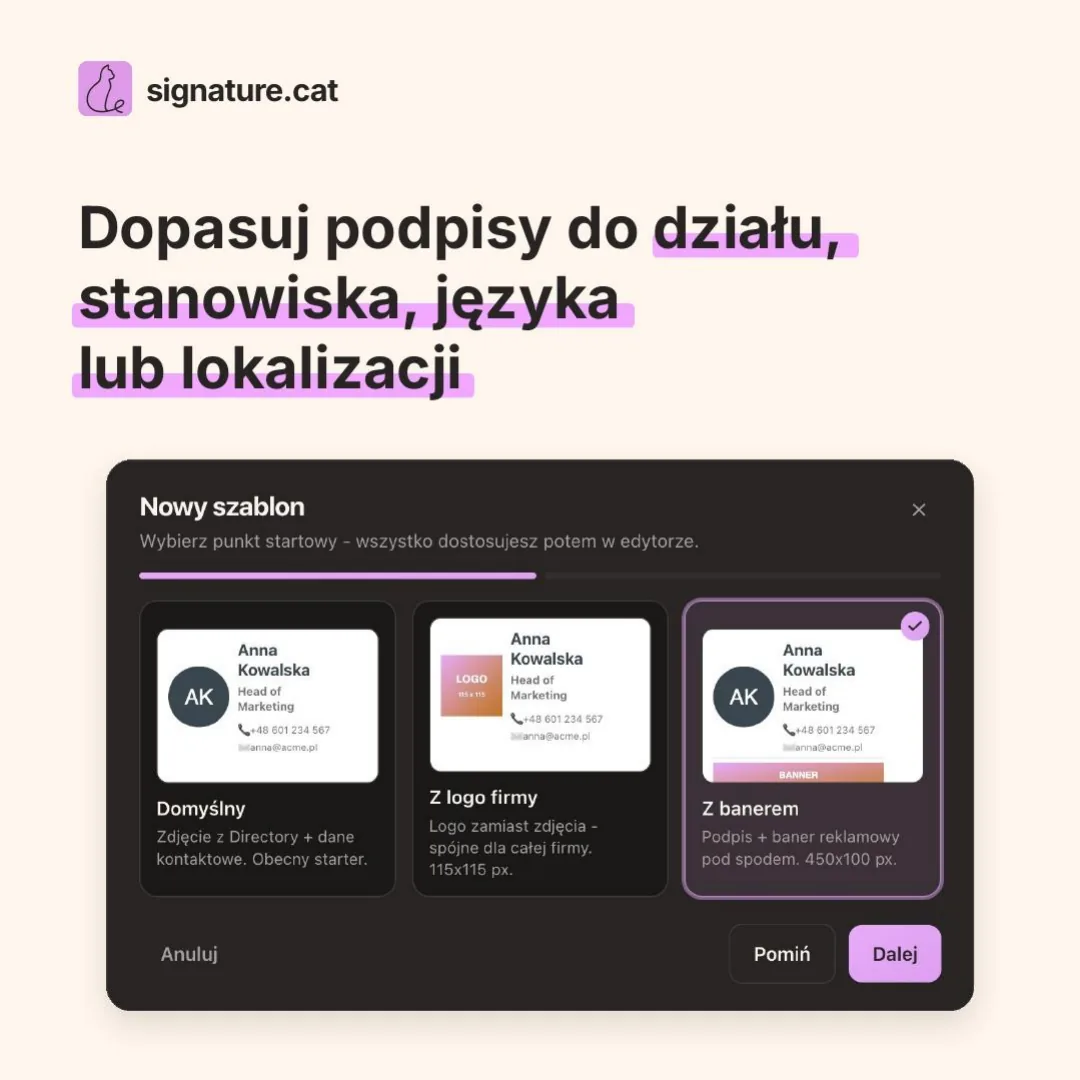
Design the signature and add employee details, variables and conditional content. Preview it on a real user before you roll it out to the organization.
Pick the employees, groups or organizational units the signature applies to. SignatureCat fills it in with each user's data and keeps it up to date.
Want to know how SignatureCat would work in your organization? Book a call with our team.
Use your company signatures as an extra channel for communication and promotion.
The tool is built by an administrator who knows the daily challenges of managing signatures in a company: from keeping details current to keeping every signature consistent across the organization.
Assign a signature to a whole Google Group instead of adding people one by one. When someone joins or leaves the group, SignatureCat updates their signature automatically.
Set the right language, address and contact details for every branch. People in Warsaw can use a Polish signature while the team in Berlin uses a German one.
Assign signatures to Organizational Units (OU) and reuse your company's existing structure. There is nothing to rebuild in SignatureCat: the tool works with the setup you already keep in Google Workspace.
SignatureCat is built on the principle of least privilege. Data is encrypted and stored in the European Union, so you can use the tool without worrying about your organization's data.
Service-account private keys live only in Secret Manager - never in our database, logs or responses.
OAuth tokens are encrypted with AES-256-GCM. In-memory key cache expires in ≤ 5 minutes and never touches disk.
Every operation is scoped to your Workspace and fully isolated for security.
Names, phones and photos are fetched live at apply time and deleted - we keep only what's needed for job history and audit.
Database, secrets and hosting all run in EU regions (Frankfurt / Amsterdam) to keep your data inside the EU.
Signature templates are sanitized on save to resist any attempt to inject malicious code.
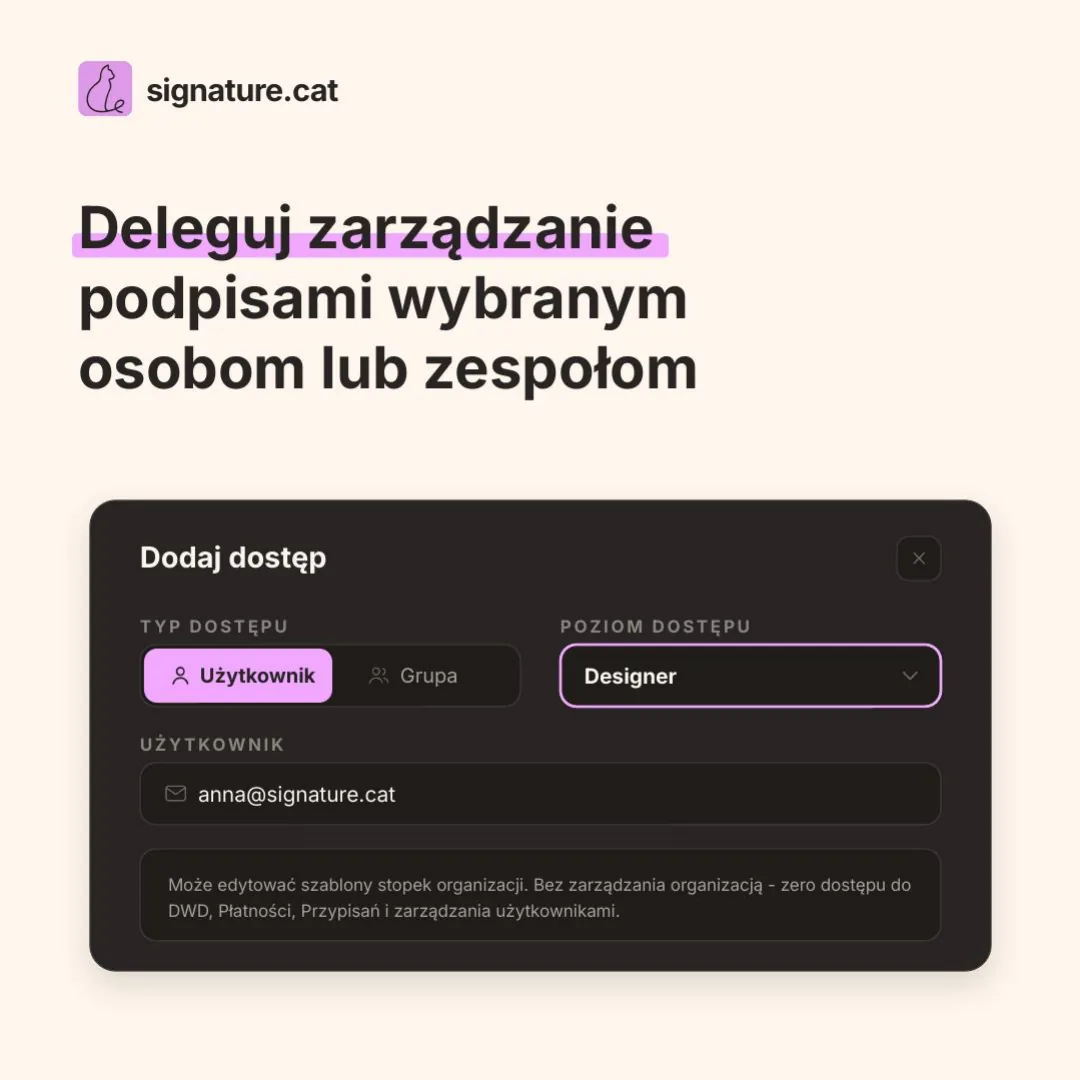
Manage who can do what in signature.cat - granular access levels so admins, editors and viewers each get only the rights they need.
Every action is tied to a permission level and recorded in an append-only audit log, so changes are always traceable.
Pay only for active users in your Workspace. The more seats, the lower the per-seat rate.
Estimated monthly total for 25 users.
Your effective rate: $0.80 / user / moProgressive pricing: each seat is billed at its tier's rate. Totals are estimates excluding tax; final billing is handled by Stripe.
Architecture, the signature engine, variables, security and compliance - everything is documented and publicly available.
The tool connects to your Google Workspace via API, so central email signature management happens in a single panel: every Gmail signature is rebuilt from data that comes straight from your Workspace Directory.
Yes. Every new Workspace starts with a 14-day free trial with full access. We collect a card at sign-up but do not charge during the trial - cancel any time before it ends and you are not billed. After the trial, billing is per active user, starting at $0.80 / user / month.
All data lives in EU regions. We don't store your end-users' personal attributes - names, phones and photos are fetched live at apply time and discarded.
Yes. Gmail signature management is as granular as your structure: you can target specific users, entire Groups or Organizational Units. Targets are expanded to the right people at apply time.
Because variables resolve live from the Directory, a daily sync keeps every Gmail signature current automatically. Update the title once in Workspace and it propagates everywhere.
You can set a separate signature language for each foreign branch - dedicated templates and assignments per branch. The tool is built for multilingual organizations.
Yes. We provide professional support for implementing the tool in your company, from connecting your domain to email signature management across the whole Google Workspace. Our experience as Google Workspace administrators makes the rollout quick and smooth. We also create custom signature templates on request - just write to contact@signature.cat.